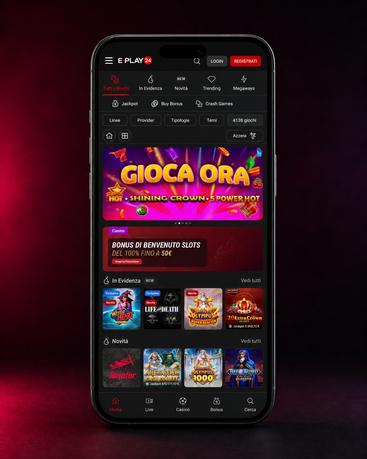
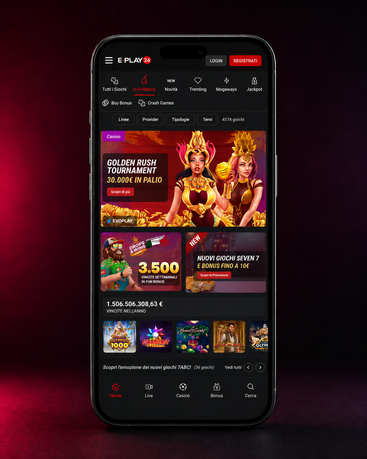
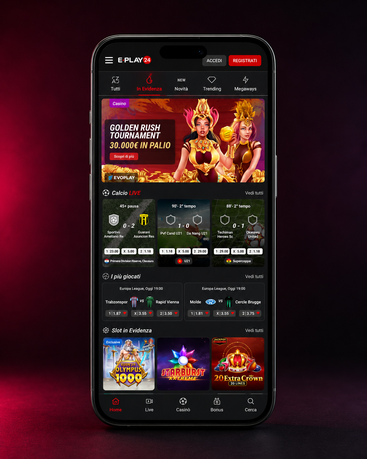
Choosing a game on a smartphone doesn't work like choosing one on a desktop. On a small screen, you compare less, change your mind faster, and tend to look for smaller categories or titles you've seen before. This isn't a limitation; it's simply different behavior. A good mobile platform understands this and doesn't force the user to navigate through a sprawling lobby.
Imagine a fifteen-minute lunch break. Usually, no one wants to spend half of it scrolling through unclear categories. Instead, you look for an immediate reference point: an essential filter, a recent section, a familiar title. When these elements are visible, the choice becomes simpler and less impulsive.
Visual comfort also matters a lot. A game that looks organized on a large screen can be uncomfortable on a phone if text, buttons, and notifications are too crowded. The user might not notice it rationally right away, but their behavior changes: they read less, tap faster, and check their balance and history less carefully. This is how a session that was supposed to be relaxed loses its order.
Another often underestimated point is returning navigation. If you open a title and then want to go back to the lobby, how easy is it? And if you want to jump straight to the cashier or your profile? Imagine you've just finished a short session and want to check your account before leaving. Usually, the most useful platform is the one that doesn't force you to take unnecessary detours.
This is why the quality of the lobby isn't measured just by the number of visible games, but by its ability to guide cleaner choices. Less dispersion, more orientation. It's a small difference in theory, but huge in daily use.
Area To Check | What The User Looks At | Why It's Important |
Main Lobby | Recent games and essential categories | Reduces time spent scrolling |
Personal Section | Balance, account details, and recent activity | Helps verify the situation before and after |
Cashier | Method, amount, and status of the transaction | Makes money management clearer |
Quick Filters | Selection by session type | Helps choose without confusion |
Break Tools | Limits, temporary stop, activity control | Promote more disciplined use |
How to Reduce the Lobby Without Wasting Time
The best way to use the lobby on your phone is to enter with a clear question: how much time do I have, what do I want to do, and when do I intend to leave? If you're waiting for a friend or on a short break, you usually don't need to explore everything. Reducing the scope isn't a limitation; it's a way to keep the session consistent with the available time.
Where to Check Balance and History During Gameplay
Balance and history should be checked at precise moments, not randomly. Before starting, to understand where you're coming from. After a session, to see what has truly changed. Imagine you've just closed a title and aren't sure how much you've moved on your account. Usually, opening the history right away is more useful than relying on memory.
When to Stop Before the Session Gets Too Long
The right moment to quit almost never comes by intuition. It comes because it was decided beforehand. Some users set a maximum time, others a spending threshold, still others just one session and that's it. If you enter on your phone without a rule, the risk is simple: what was supposed to last a few minutes extends almost without you noticing. Imagine an evening where you open the lobby "just to see." That's usually where a clear rule makes the difference.